Does this work for Cricut and Silhouette too?
Yes. The exported SVG imports into Cricut Design Space, Silhouette Studio, xTool Creative Space, LightBurn, and Glowforge—already welded, so the weld step is done.
Weld script fonts automatically
Every tutorial for connecting cursive letters says the same thing: ungroup to letters, drag each one into place, weld, fix what broke. WeldWords skips all of it—type the word and the letters arrive already connected as one cuttable piece.
2 free batch exports + 1 free single export. No software install. SVG and DXF included.
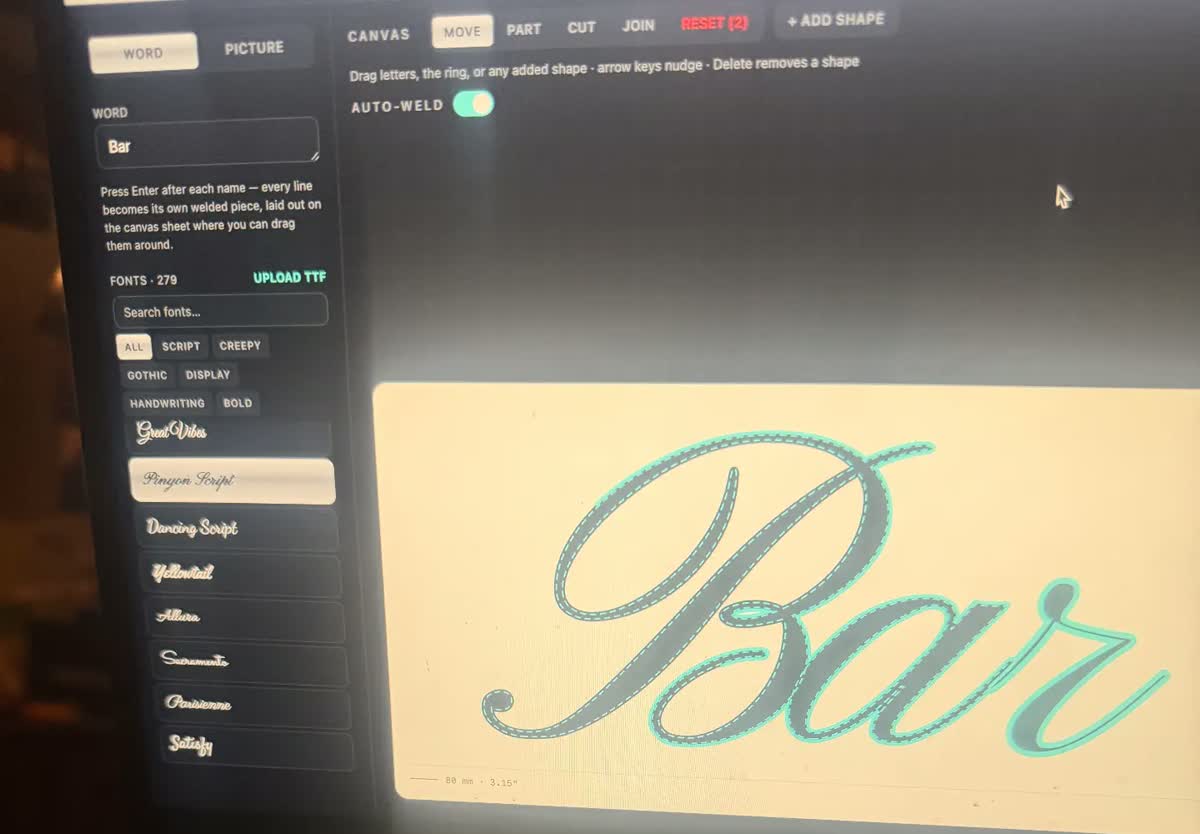
How it works
Everything stays editable until you export, so one-off fixes never mean starting over.
One name, a phrase, or paste a full list for a batch—everything welds the same way.
Browse script, Roman, and display fonts with live previews, or upload a font file from your computer.
Adjust letter spacing, weld strength, or connection style. Most words need nothing at all.
Download SVG or DXF in true millimeters or inches, ready for your laser software, Cricut, or Glowforge.
Yes. The exported SVG imports into Cricut Design Space, Silhouette Studio, xTool Creative Space, LightBurn, and Glowforge—already welded, so the weld step is done.
Use the built-in fixes: scoot letters closer, extend a stroke, add a connector bar or underline, or place a small bridge weld exactly where you want it.
Yes. WeldWords preserves counters (the enclosed holes) through every weld, so the letter centers stay attached to the design instead of falling out.
2 free batch exports + 1 free single export, shared per account and internet connection. Founding Unlimited is $11.99 USD/month, renewing until canceled. Or choose a $6 USD one-time 12-hour pass.