Does optimization resize or squash names?
No. Every name keeps the width or height you set; the optimizer only changes placement, order, and permitted rotation.
Laser sheet optimization
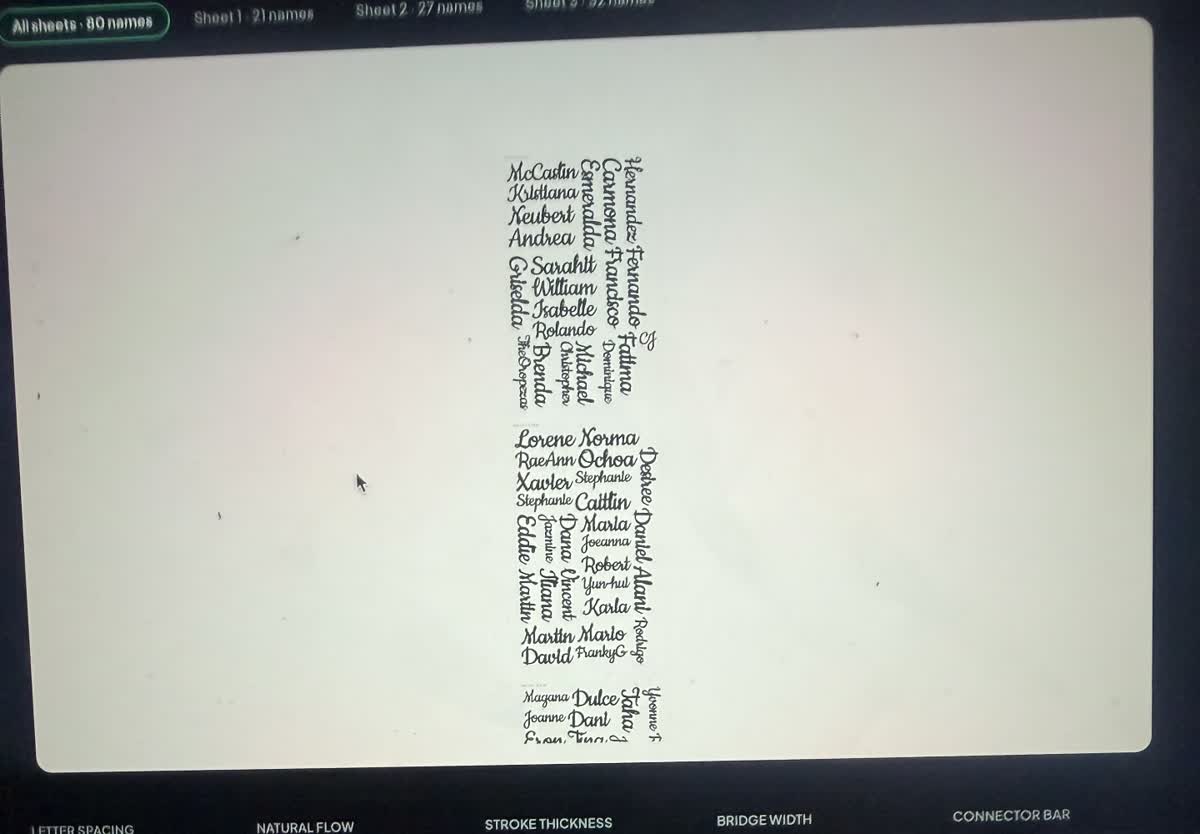
Arrange connected names and keychains around the usable material area. Let shorter pieces fill open spaces, allow rotation when it helps, or keep every name in one orientation.
2 free batch exports + 1 free single export. No software install. SVG and DXF included.
One production workflow
Keep every name editable and correctly sized while WeldWords handles the repetitive layout work.
Start with the 11.8 × 19.7 inch default or type your own material width and height in inches or millimetres.
Set the gap your machine and material need. Optimization will not reduce it below the built-in safe minimum.
Keep every name upright, or allow sideways and diagonal placements when they fit the sheet more efficiently.
Names may change order to use open spaces. If the batch cannot fit on one sheet, WeldWords creates the additional sheet files.
No. Every name keeps the width or height you set; the optimizer only changes placement, order, and permitted rotation.
Yes. Use Keep upright when grain direction, appearance, or production handling matters more than the tightest possible layout.
Set the sheet height and the overflow moves onto additional numbered sheets, with one SVG downloaded for each sheet.
Paste the names, apply consistent settings, arrange the material, and export.