Make
One name or multilingual lettering, with thousands of fonts and control over connections, sizing, and hanging holes. Create personalized keychains, tags, signs, and cake toppers.
Open the name makerMade by a laser cutter
WELD
WORDS
Words that stay together when you cut. WeldWords turns one name or a full customer list into connected geometry, normalizes finished sizes, lets you correct exceptions, nests the pieces across material sheets, and exports clean SVG or DXF files.
Built for Etsy sellers, laser and CNC shops, and crafters who cut personalized names — and made to work alongside LightBurn, Glowforge, xTool, Cricut, Illustrator and Inkscape rather than replace them.
If a production file is not working, we’ll make it right. We’ll help troubleshoot the settings or correct the file before you cut.
Olivia
Cut-ready
One connected piece
Batch names + sheet optimization
Keep every size. Rotate, reorder, and flow onto more sheets.
More than a name generator
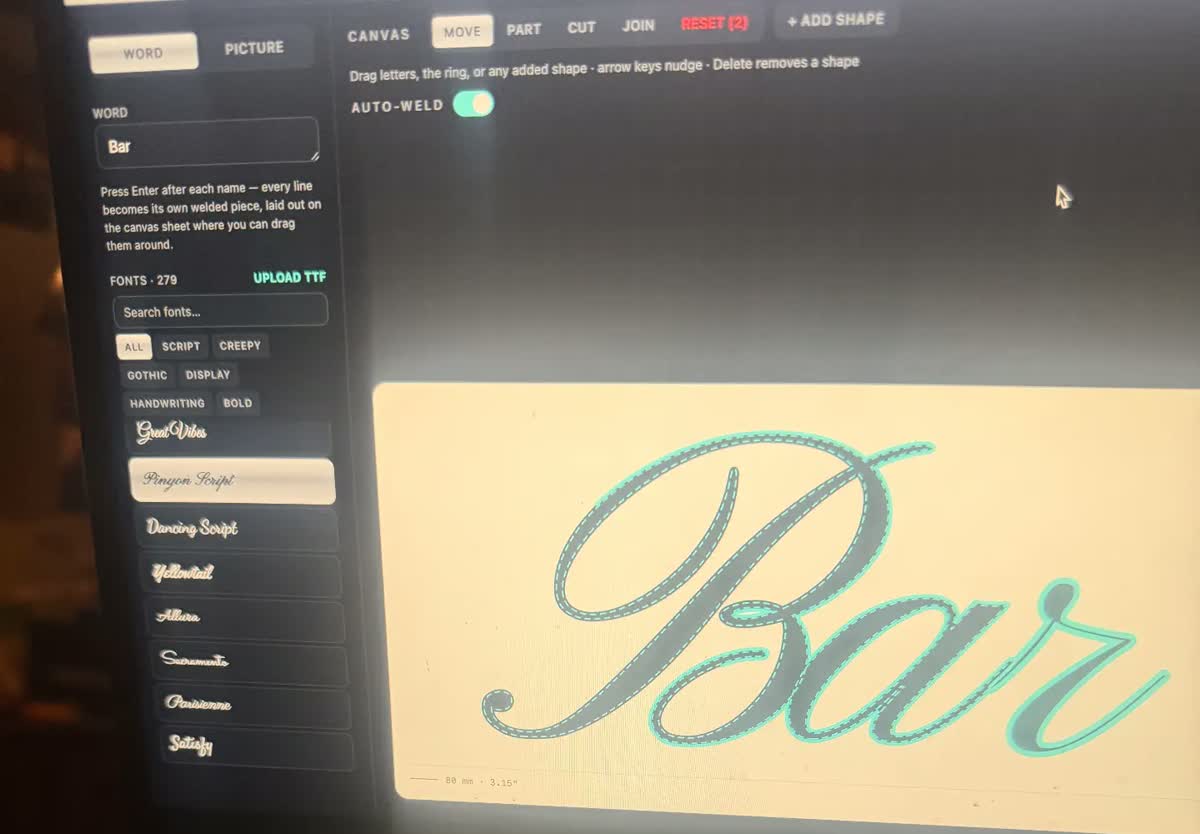
WeldWords brings lettering, artwork cleanup, and customer-list production into one fabrication-focused workspace. Create connected names, correct letter joins, set finished dimensions, add keychain holes, build backing layers, and prepare SVG or DXF files for your cutting software.
One name or multilingual lettering, with thousands of fonts and control over connections, sizing, and hanging holes. Create personalized keychains, tags, signs, and cake toppers.
Open the name makerTrace artwork into editable vectors or import a customer’s SVG/DXF. Move individual pieces, create a backing, and remove overlapping cut lines by welding only when you choose.
Open Trace & Vector EditorPrepare 80+ names in a batch, correct individual exceptions, and nest them across material sheets. Already have vectors? Upload your files to the standalone sheet nester.
Open the sheet nesterFor custom signs, cake toppers, tags, ornaments, keychains, and production batches — alongside the fabrication software you already use.
Watch a real order
A genuine 80-name order prepared start to finish in 52 seconds: pasted as one list, welded into one-piece script names, every name set to 38 mm tall, nested onto three sheets, opened in xTool with the welds intact, then rebuilt in a different font with keychain holes across the whole batch.
Watch: nest your own files
Existing lettering is exported from xTool as one SVG, uploaded to the WeldWords sheet nester, recognized as 41 separate pieces, packed onto a 19 × 11 inch sheet with 1.2 mm spacing, and brought back into xTool as a single nested layout. 44 seconds.
Watch with transcriptWatch: SVG / DXF editor
An existing “Baddies” SVG is imported as editable vector shapes, the overlapping script letters are welded into one outline, the floating i dot and the heart are moved in and welded on, the finished size is set in millimetres, and the cut-outline SVG imports into xTool as one compound vector. 56 seconds.
Watch with transcriptWeld checked
Loose pieces detected
SVG + DXF
Ready for laser software
Many scripts
Shaped multilingual text
Cut + engrave
Layered vector options
Actual fabrication geometry
Some design programs can make cursive text look connected while the underlying vector paths remain separate. WeldWords creates actual joined vector geometry intended to stay together through fabrication.
Letters that only touch
Each letter keeps its own outline, so the machine cuts around every one of them. The name leaves the bed in pieces, counters drop out, and the dot on the i is gone.
Letters that are welded
One continuous outline, counters kept open as holes, accents bridged on, and joins you can check before cutting. It lifts off the bed as a single piece.
What actually happens
No manual node editing, no fighting a weld tool that drops the dot off an i.
One name, or paste a whole order list.
2,000+ fonts, or upload your own.
Letters join into one piece; dots, accents and letter holes stay.
Set the real finished height or width in inches or millimetres.
Download SVG or DXF at exact size for your machine.
Batch mode
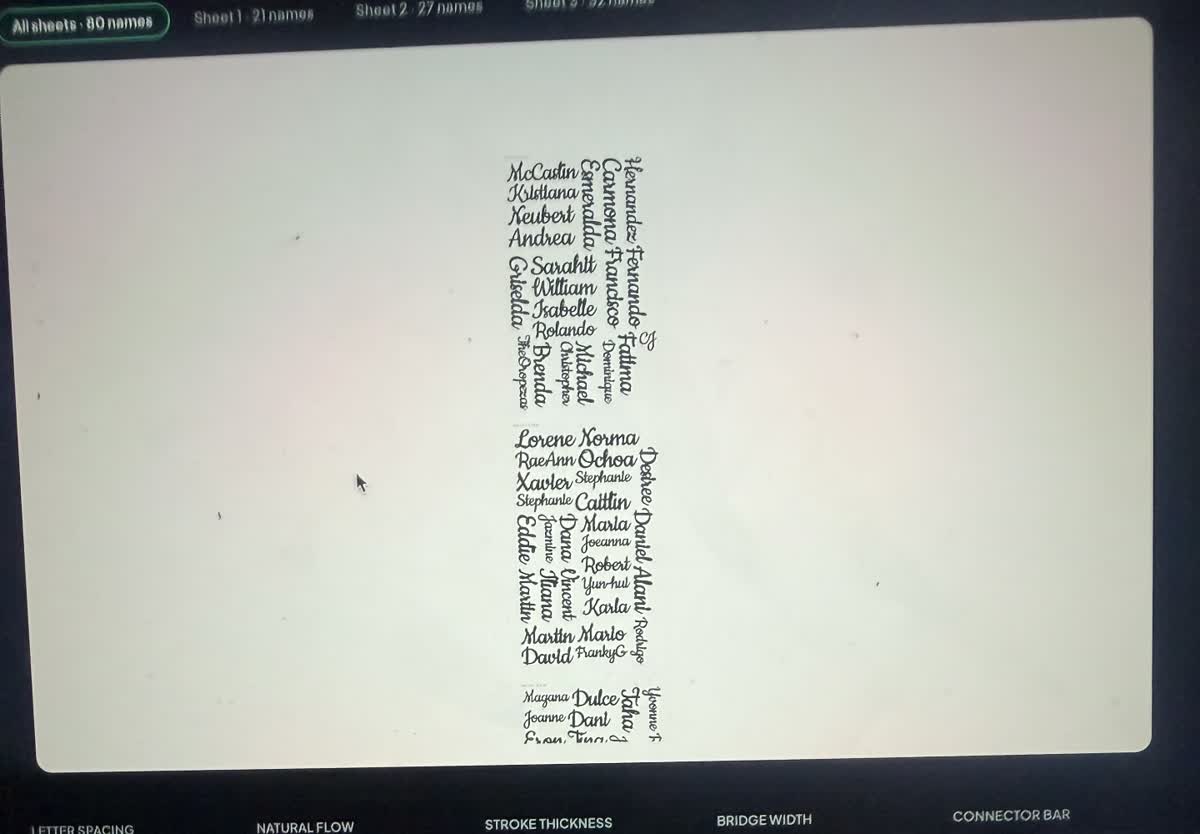
Paste a whole list—an Etsy order, a wedding guest list, a full classroom. WeldWords welds every name, adds the keychain hole to all of them at once, nests the sheets with almost no waste, and exports one file per sheet.
Paste the list
Weld + holes
Nest the sheets
Export per sheet
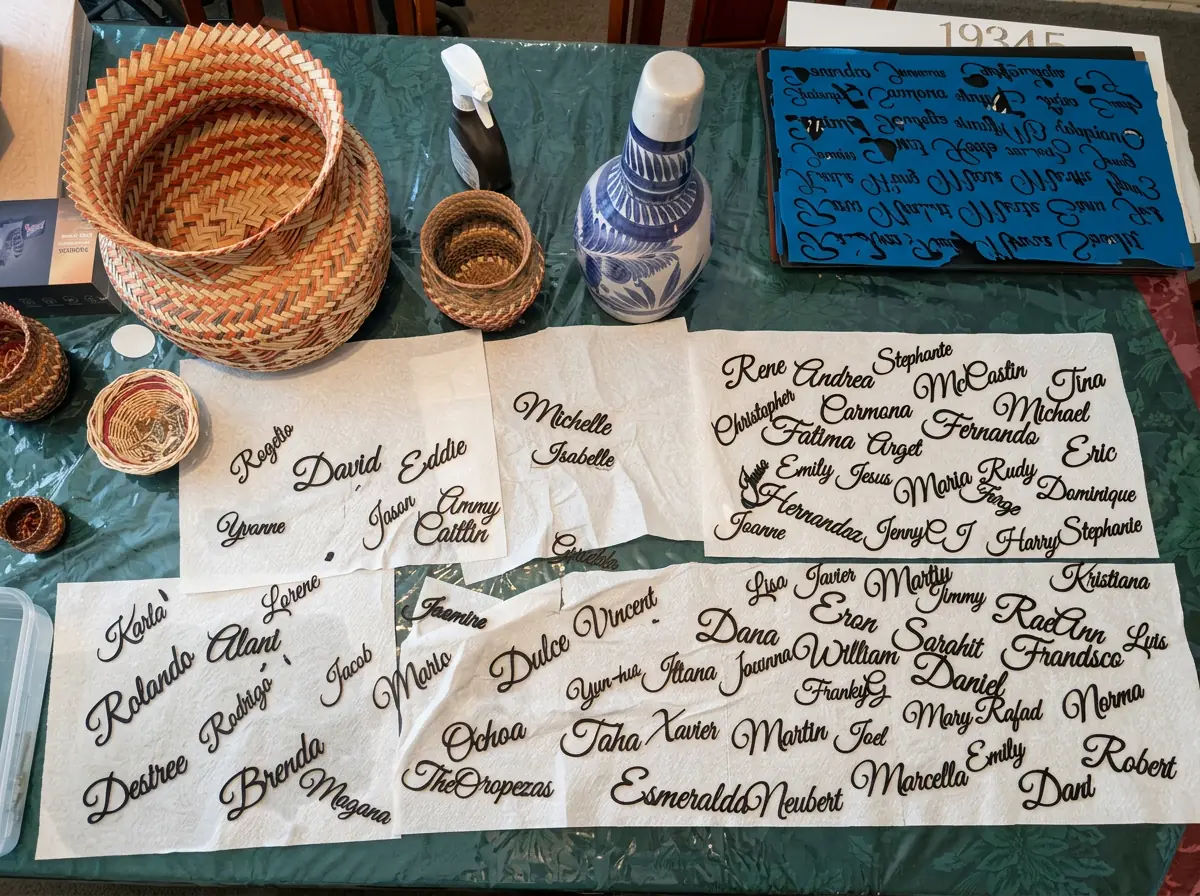
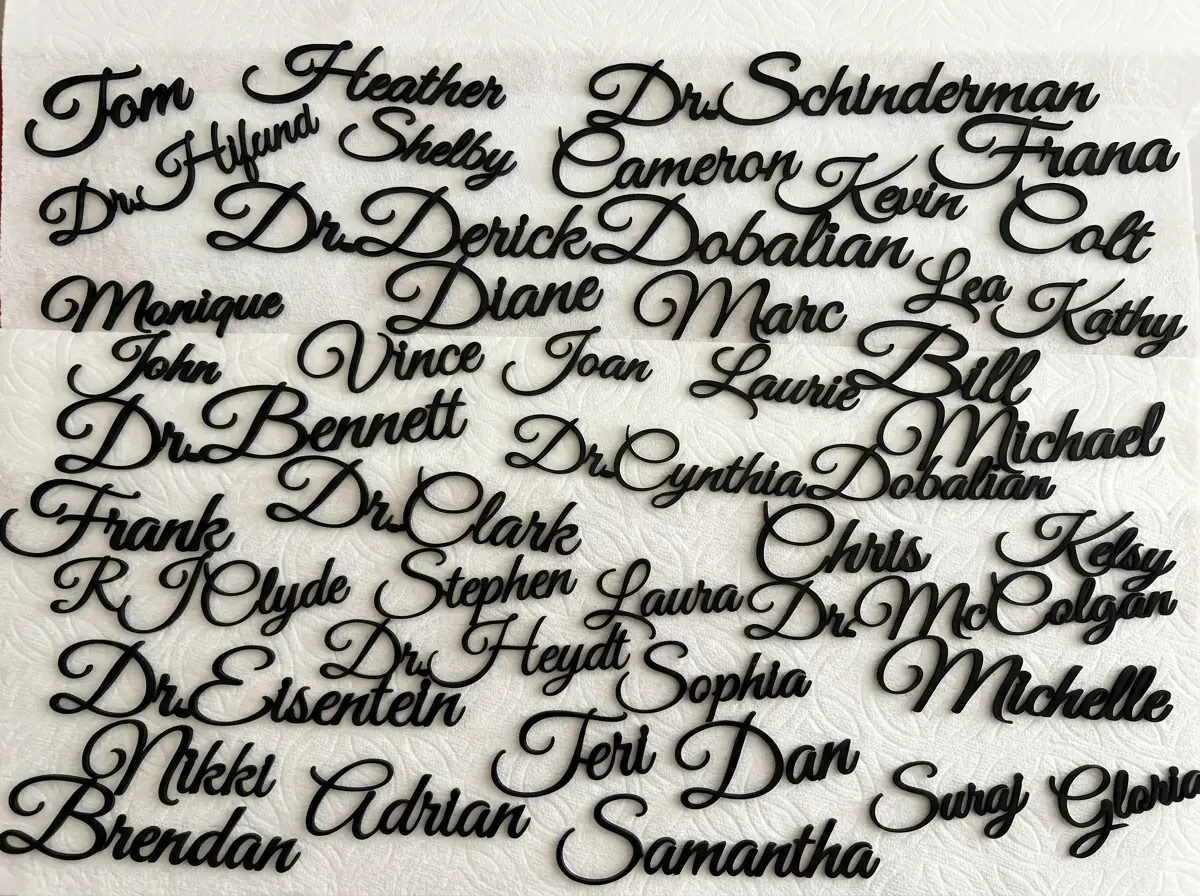
Made in a real workshop
Real pieces made with WeldWords—from one name to a packed sheet. The clean connections you see in the file are the ones that reach the laser.
Batch name cutting
Dozens of names, each exported as one connected piece
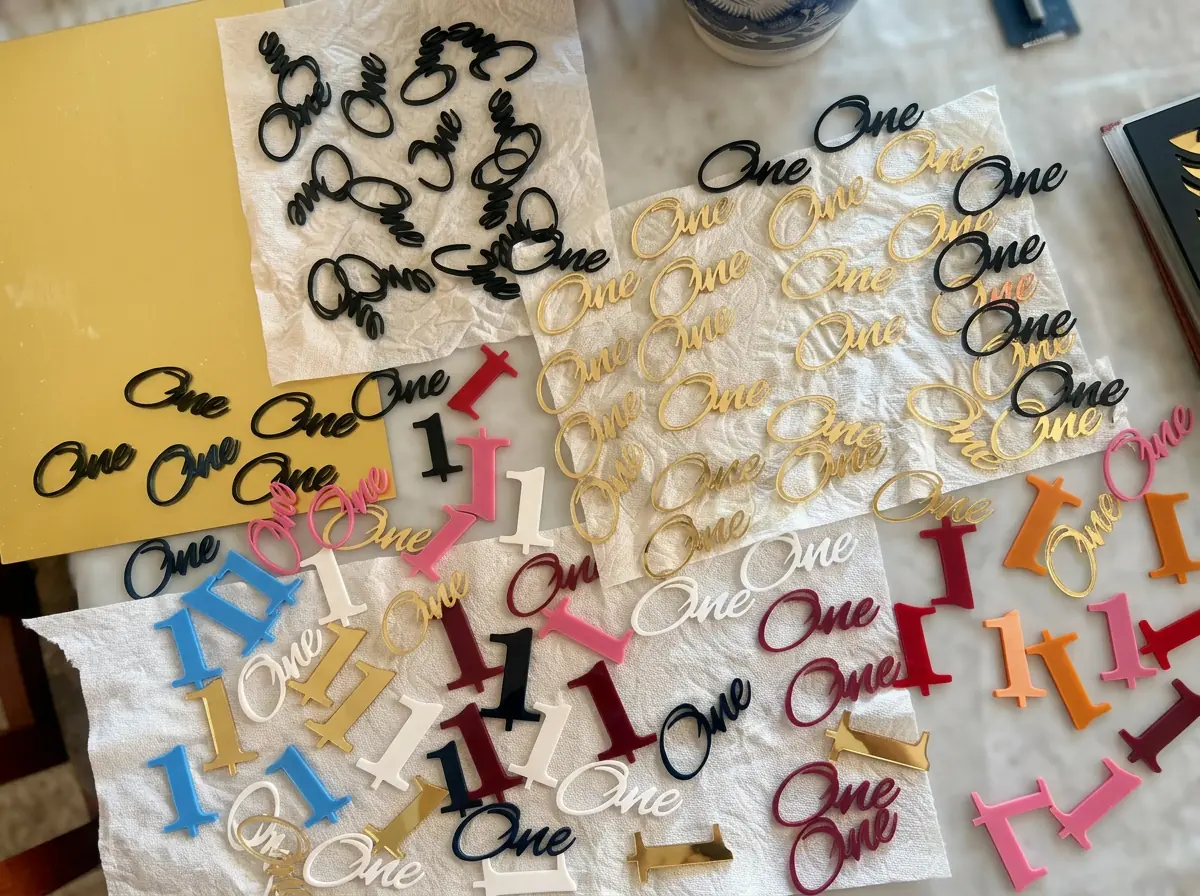
Small personalized pieces
Clean script and ring-ready designs
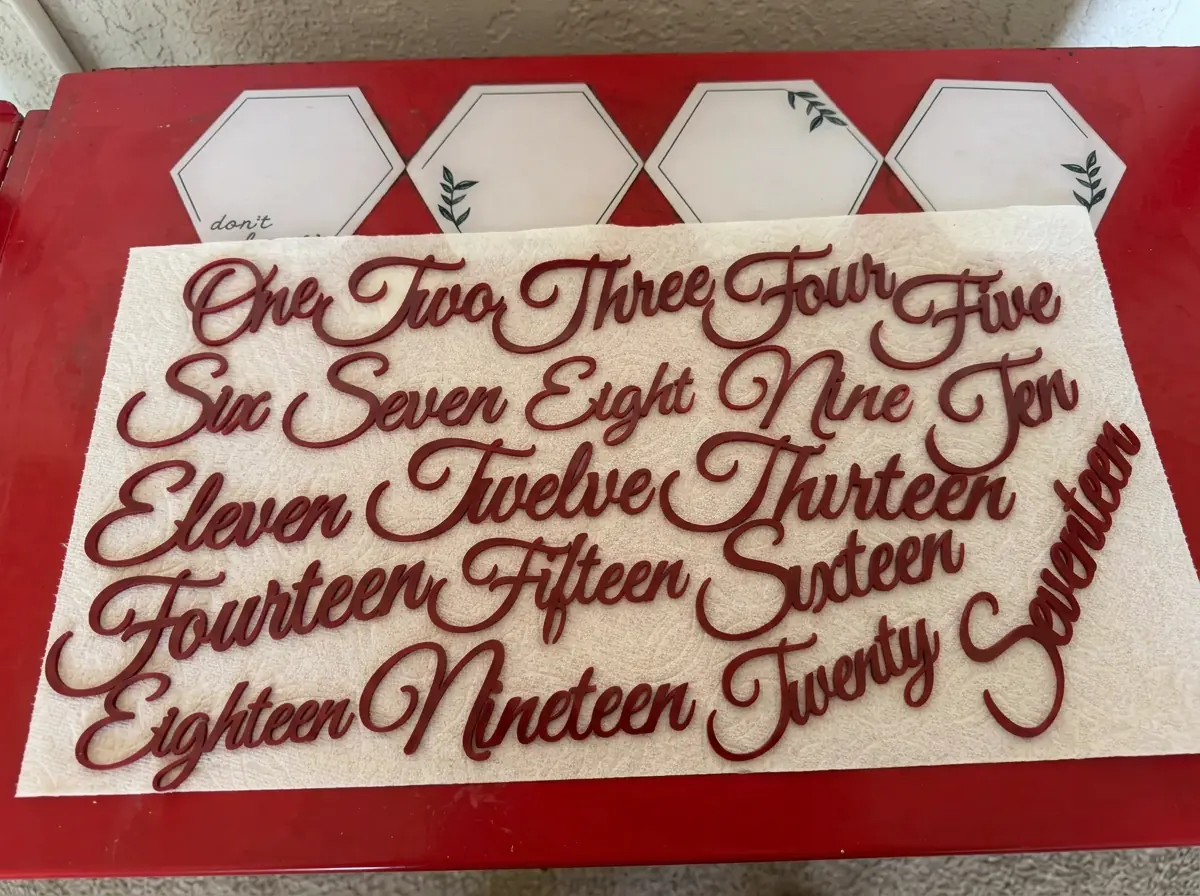
Consistent sets
One style across an entire project
From the workbench
“I built WeldWords because my own batch orders kept falling apart on the cutting bed.”
I cut name keychains, wedding place cards, and classroom sets every week. Script letters that wouldn’t weld, counters that vanished, and customer lists that wasted half a sheet cost me real material and real time — so I made the tool I wanted: one that welds every name, keeps the holes in a, e and o, locks the real finished size in millimetres, and nests a whole order onto the fewest sheets. Export SVG or DXF straight into LightBurn, Glowforge, or xTool and cut.
— Theresa, founder of WeldWords
Try the free exportsOne maker, real projects
Each design stays editable, measurable, and ready for a clean cut.
Turn script lettering into a strong, connected name tag or keychain SVG.
Explore makerPaste a full list, apply one style, add holes, and export every connected name.
Explore makerPack names tightly across your material while preserving size and safe spacing.
Explore makerBuild clean one-piece topper designs with readable names and sturdy joins.
Explore makerWelded text, topper stakes, rings and templates on one canvas, exported as clean cuts.
Explore makerFinish names with shaped frames and hanging rings in the ornament maker.
Explore makerTurn a photo or logo into clean, editable cut vectors — no AI.
Explore makerUpload your own SVG or DXF files and pack them onto as few sheets as possible.
Explore makerWord welding joins overlapping script letters into one connected outline, so a name cuts as a single piece while holes in letters like e, o, a, and d stay open.
Set exact width and height in millimeters. Exported SVG and DXF files open at true size in LightBurn, xTool, Glowforge, Inkscape, and Illustrator.
Paste 80+ names, weld every one in the same style, add keychain holes or backing layers, and pack them onto cut-ready sheets.
Simple where it matters
Enter one name or paste a full batch.
Use your own font or trace a sign photo.
Move, scoot, straighten, join, or cut parts.
Download exact-size SVG or DXF files.
Built to prevent bad cuts
WeldWords checks connected pieces, preserves letter holes, handles script dots, and gives you manual control when automatic welding needs a human touch.
Try your first designFounding member pricing
Renews monthly until canceled. Keep Founding Unlimited while your subscription remains continuously active. Or choose a $6 USD one-time pass for 12 hours — no automatic renewal.